DRAFTBRO
In Telegram

DraftBro — an editor in Telegram

What to post today?

Morning is for tea, not for chasing a topic

DraftBro finds the news and prepares a post with a cover.
You choose, and tap a couple of buttons.

7 days free · no card · right in Telegram

Telegram + MAX + Threads — already togetherSchedule — right under the postWhat else is new

01 / SEE IT WORKYou can tap

Like this: from a story to a post

On the left, the source. On the right, how it could read in a channel.
Pick a topic and try the buttons under the draft.

Demo: the stories, the copy, and the covers are made up.

Source material

City / neighborhood

A former factory will open a public greenhouse on the roof

The roof will get a greenhouse and small beds. Residents will be able to grow greens, and weekend classes in urban gardening are planned.

There's a story.Now it needs a post →
DraftBroDraft for “The City in Detail”
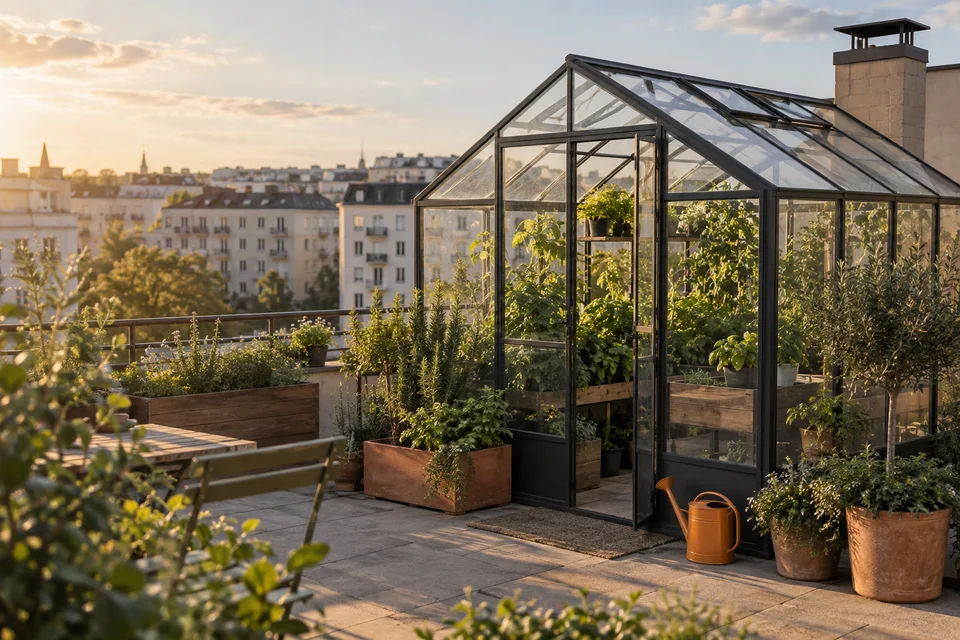
Demo AI cover: a greenhouse on a city roof

Up to the roof, for basil 🌱

The old factory gets a new life: a greenhouse and beds for residents will appear on the roof.

You can grow your own greens, and on weekends figure out why everyone else's basil is thriving and yours isn't yet.

A good reason to meet the neighbors. And finally grow something.

Sample draft

In the bot it's just as simple:
pick a story, get a draft,
decide what to do with it.

Now the same thing, on your topic.

Open DraftBro

NOT JUST THREE EXAMPLES

And what's your topic?

DraftBro already has 13 topics with RSS feeds picked for them. Choose yours, and don't start from an empty screen.

Real estateConstructionEconomyTechnologyCryptoNewsCarsScienceSpaceMarketingPhoto and designTravelPsychology Choose your topic ↗

02 / THE RIGHT STUFF FIRST

Good topics
don't live
in one tab

RSS feeds are already grouped by topic, so you can start without setup. Need your own sources? Add Telegram channels and VK communities one by one.

DraftBro shows you when stories have been found. If the set is stale, run a fresh search within your plan.

Find a topic for a post
Your set Example
From an RSS feed · collected at 09:12City roofs are turning into gardens
From Telegram · collected at 09:14A device that doesn't distract
From a community · collected at 09:16Why a coffee shop wants returnable cups
Not your topic? Just skip it.
RSSTelegramVKYour own sources +

One story. Different voices.

Calm and to the point

A public greenhouse will open on the roof of a former factory. Residents will be able to grow greens and attend gardening classes.

A little closer to the reader

Up to the roof, for basil. The old factory will get beds for residents. Looks like we'll have a reason to meet the neighbors.

An example of possible wording, not a customer review.

03 / NOT SOMEONE ELSE'S VOICE

You don't
talk like that?
Show how

Forward DraftBro a few of your posts. It will take the channel's usual length, tone, and manner as a guide.

We don't promise to guess every word. That's why you get a draft first. Only then do you decide whether to publish it.

The model doesn't replace your point of view or your own experience. It helps with the news routine.

04 / NOT NECESSARILY RIGHT NOW

Three posts in the morning
Your own day after that

Pick a few stories in the morning, prepare the drafts, and place them through the day. You don't have to come back to each post on the hour.

Under a post, tap “Schedule”, pick the next open time or type your own. You can check the queue and cancel a post.

Try scheduling in the demo
TODAY'S PLAN

3 posts ready

Prepared in the morning · Moscow time

Up to the roof, for basilTelegram + MAX
A gadget with no notificationsTelegram
The cup comes backTelegram + Threads

A sample schedule, not a real queue

05 / DON'T COPY YOURSELF

One post
Several platforms

Telegram, MAX, and Threads already work. Connect the ones you need and choose “Now everywhere” or “Schedule everywhere” under the post. No copying the text and the image by hand.

Your draftYou approved →
TelegramMain channel
Available
MAXConnected separately
Available
ThreadsConnected separately
Available

Telegram only? Tap the regular “Now”.
You see the result for each platform.

Publishing to VK in development

EVERYTHING DRAFTBRO DOES

One path from a topic to a post

Not a pile of separate tools, but a working route in one Telegram chat

  1. 01 / SOURCES

    A topic is already there — start with it

    Ready-made RSS sets, or your own RSS, Telegram channels, and VK communities. Only the stories your channel needs.

  2. 02 / THE SET

    You can see when stories are found

    Read the headlines and run a fresh pass when you need new options.

  3. 03 / YOUR VOICE

    Less of someone else's tone in the text

    Set the style from your channel's posts. DraftBro will prepare a draft close to how you write.

  4. 04 / THE POST

    Text and cover arrive together

    One draft with an image, and your logo on the cover if you want it. You check first, then you decide.

  5. 05 / YOUR CALL

    Now, Schedule, or don't publish

    Set a time, check the queue, or skip the post and go straight back to the other stories.

  6. 06 / PLATFORMS

    One decision, several channels

    Send to Telegram, MAX, and Threads now or on a schedule.

    Publishing to VK is in development.

NO BIG DECISION

Try it on your own
That makes it clearer

New users get 7 days of Start.
See what DraftBro finds for you.
No card required for that.

Free

A first look

0 ₽

If a few posts are enough for now.

  • 3 drafts a day
  • 3 news sources
  • 1 set refresh a day
Start for free

Start

First 7 days — 0 ₽

290 ₽ / 30 days

When the channel needs more to choose from.

  • 10 drafts a day
  • 10 news sources
  • 3 set refreshes a day
Try 7 days

Pro

Planned

Autopilot

When you want DraftBro to take the whole news routine.

  • Topic picking by your rules soon
  • Scheduled publishing without a manual confirm soon
  • A report of the posts that went out soon

A draft is a request to prepare the text, not a promise of a finished post you didn't review. After the trial, if you don't pay, the free plan stays.

How to start

01 Open the bot

02 Choose sources

03 Get a draft

A FEW MORE QUESTIONS

What if…

If your question isn't here,
ask it in the project channel ↗.

I don't have a channel yet. Can I try?

Yes. You can choose sources and get a draft before connecting a channel. To publish, add the bot as an admin of your Telegram channel.

It won't start publishing everything, will it?

No. First you pick a story, then you get a draft and decide what to do with it. A scheduled post goes out at the time you set. That is also your decision, made ahead of time.

What if I don't like the text?

Tap “Skip”, say why, and go back to the set. For a closer voice, set the style from your own posts. Check the facts and the wording before you publish.

What news does it find?

Pieces from the RSS feeds, public Telegram channels, and VK communities you chose. Start from the topic catalog or add your own sources. This is not a search of the whole internet: the result depends on the connected sources and when they were last collected.

How is this different from a regular AI chat?

You don't have to paste a found article into a chat, explain the voice again, and then assemble the post. The set, the draft, and the send buttons live in one Telegram bot.

Can it post to Threads and VK?

You can already publish to Threads, and to MAX. Publishing to VK is still in development. Reading news from a VK community and publishing there are different things.

ENOUGH TABS FOR TODAY

Enough searching
Time to post

Open DraftBro and pick a topic.
Let's see what turns up for your channel.

Get the first draft 7 days of Start, free · no card